Some customers work with custom hierarchies created through work item links, instead of using Jira’s standard hierarchies like Epic, Task, and Subtask. Deep Clone for Jira can replicate these custom hierarchies while maintaining the correct work item linking. However, identifying the correct list of work items to clone can be challenging.
Steps to Clone Custom Hierarchies
Prepare the List of Work Items
If you’re using another Marketplace app to manage work item hierarchies, check if it can provide the list of work item keys for JQL queries. Ideally, the app integrates with Deep Clone for Jira, like JXL for Jira.
If no integration is available, use Jira’s filter functionality to identify the work items:
-
Go to Filters > View all work items.
-
Switch to JQL (top right).
-
Write a JQL query using the operator
issueLinkTypeto filter the correct work items. For example, to find all work items blocking each other, use:issueLinkType = "blocks" OR issueLinkType = "is blocked by" -
Refine the filter further by space (project), work type, or other criteria.
Tips
-
Use Atlassian’s AI feature to help write complex JQL queries.
-
Save the filter if you’ll need it for regular use. This allows quick access from the Clone Dialog.
Perform the Bulk Clone
-
Go to Apps > Bulk Clone.
-
Select the target space (project).
-
Check the following options:
-
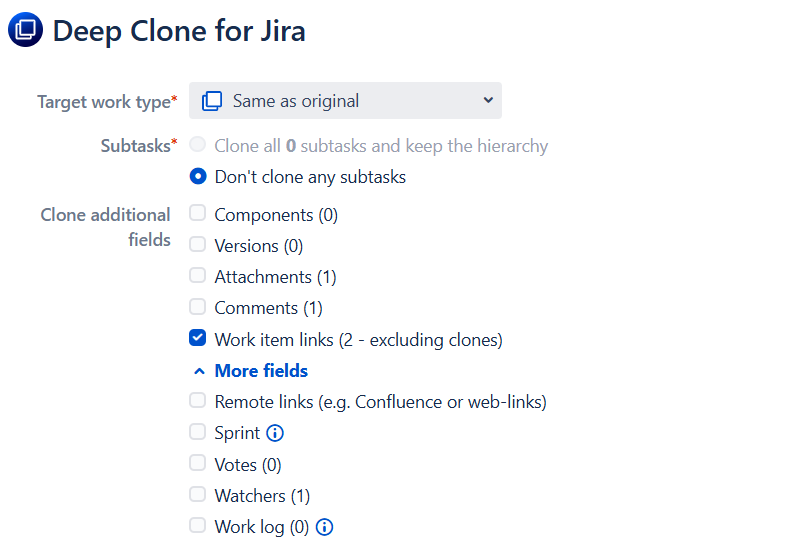
Work item links (excluding clones)
-
Adjust work item links between work items part of this Bulk Clone
-
-
Configure any additional settings, then start the Bulk Clone.
Tip
Uncheck Add clone work item links between clone and original work item to avoid creating additional links.
Outcome
Your custom hierarchy, including all work item links, should now be successfully cloned into the target space (project)!