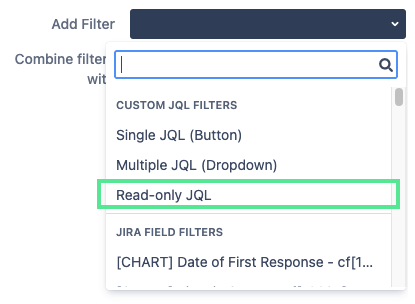
Read-only Filters are similar to Custom JQL Buttons, but they are always active and can only changed in the settings of the Quick Controller. Because Read-only Filters are always active they cannot be used together with “Do not combine filters” Combine Filters option. Read-only filters are denoted by a lock symbol in the Quick Controller. Read-only Filters require the Advanced Edition of Quick Filters for Jira Dashboards.
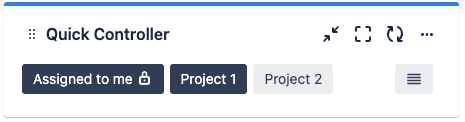
How to add Read-only Filters to your Quick Controller
-
Add the Quick Controller gadget to your Jira dashboard
-
Click on the Action menu ··· > configure on the top right
-
Expand the dropdown next to Add filter
-
Select Read-only JQL