
This feature allows you to use work item values within the context filter on work item create screens, transition screens, and Jira Service Management portal requests. The feature must be enabled on a per-space (project) or request type basis.
Only available for Jira and Jira Service Management. Not available for Jira Product Discovery.
When Should You Activate This Feature?
-
A Search Field (Custom Field) or Info Panel (Custom Field) will be placed on the work item create screen, transition screen, or Service Management portal request.
-
And the context filter utilizes any of the supported Jira fields as listed below:
When Should You Not Activate This Feature?
-
Fields are not placed on create screens, transition screens, or Service Management portal requests.
-
Fields have no dependencies and not any of the fields listed below.
How To Activate The Context Filter Dependencies
After selecting a Data Source and creating a Context Filter, you need to select all project / request types in which you want to use those Custom Fields.
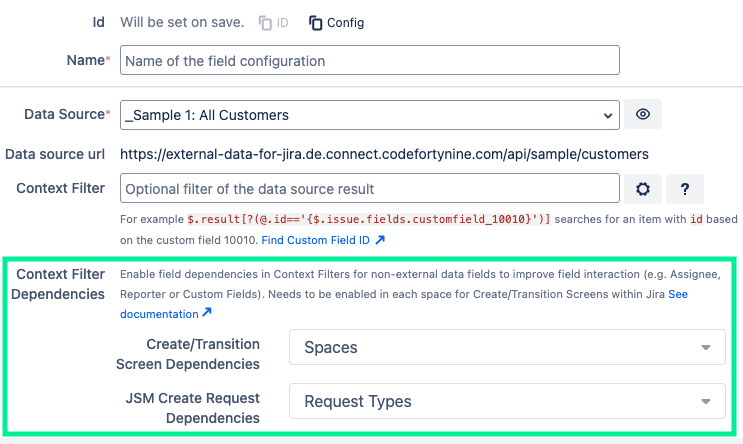
Example Context Filter
This allows using work item values like the assignee's accountId in the context filter on the work item create screen:
$.result[?(@.id=={$.issue.fields.assignee.accountId})]
Known Limitations
-
Anonymous (not logged in) account types are not supported yet.
-
Embedded request create forms are not supported yet.