
Create a New Custom Field
-
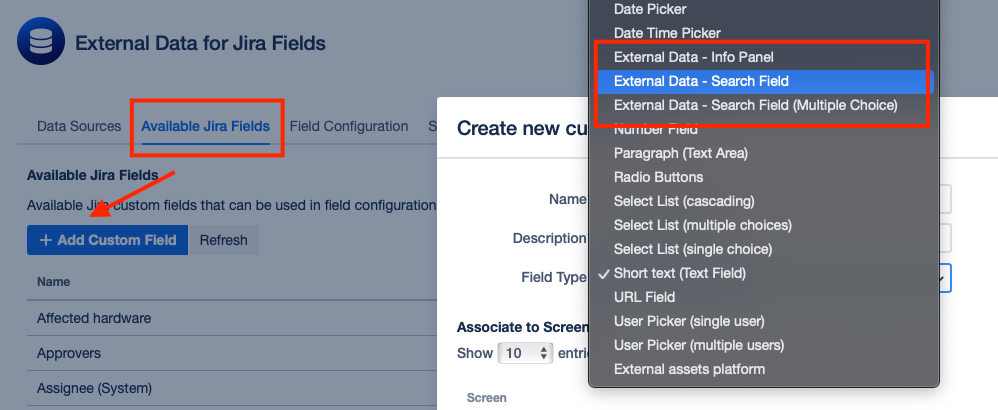
In the Main App, navigate to Manage Jira Fields and click on + Add Custom Field.
-
In the Create new custom field Modal, select an External Data Search Field Type according to your preference. Choose
External Data - Search Fieldif you want to enable single select orExternal Data - Search Field (Multiple Choice)for multiple selections.
Create a New Field Configuration
-
Go to Field Configuration > + Add Configuration > Search & Select
-
Select Search Field (Custom Field)
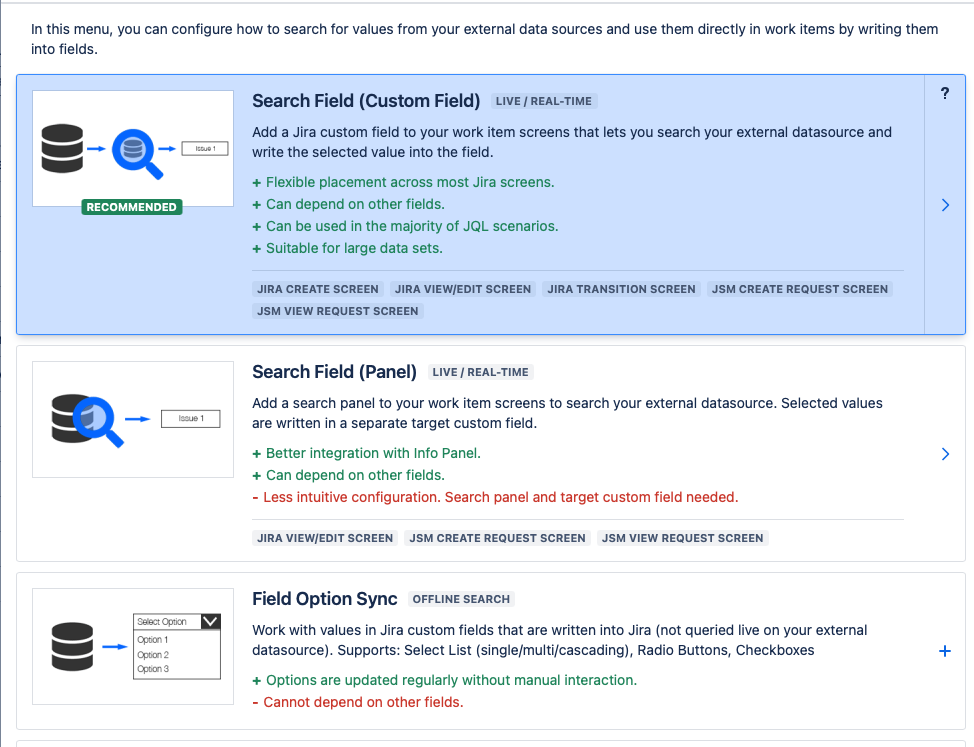
The further configuration process mirrors that of the panel search fields. Refer to our documentation for Search Field (Panel) . Below, we highlight the key differences
Field Differences:
-
A Search Field (Custom Field) maps to an underlying custom field type in Jira
-
You manage the placement and visibility of a Search Field (Custom Field) within Jira like any other custom field.
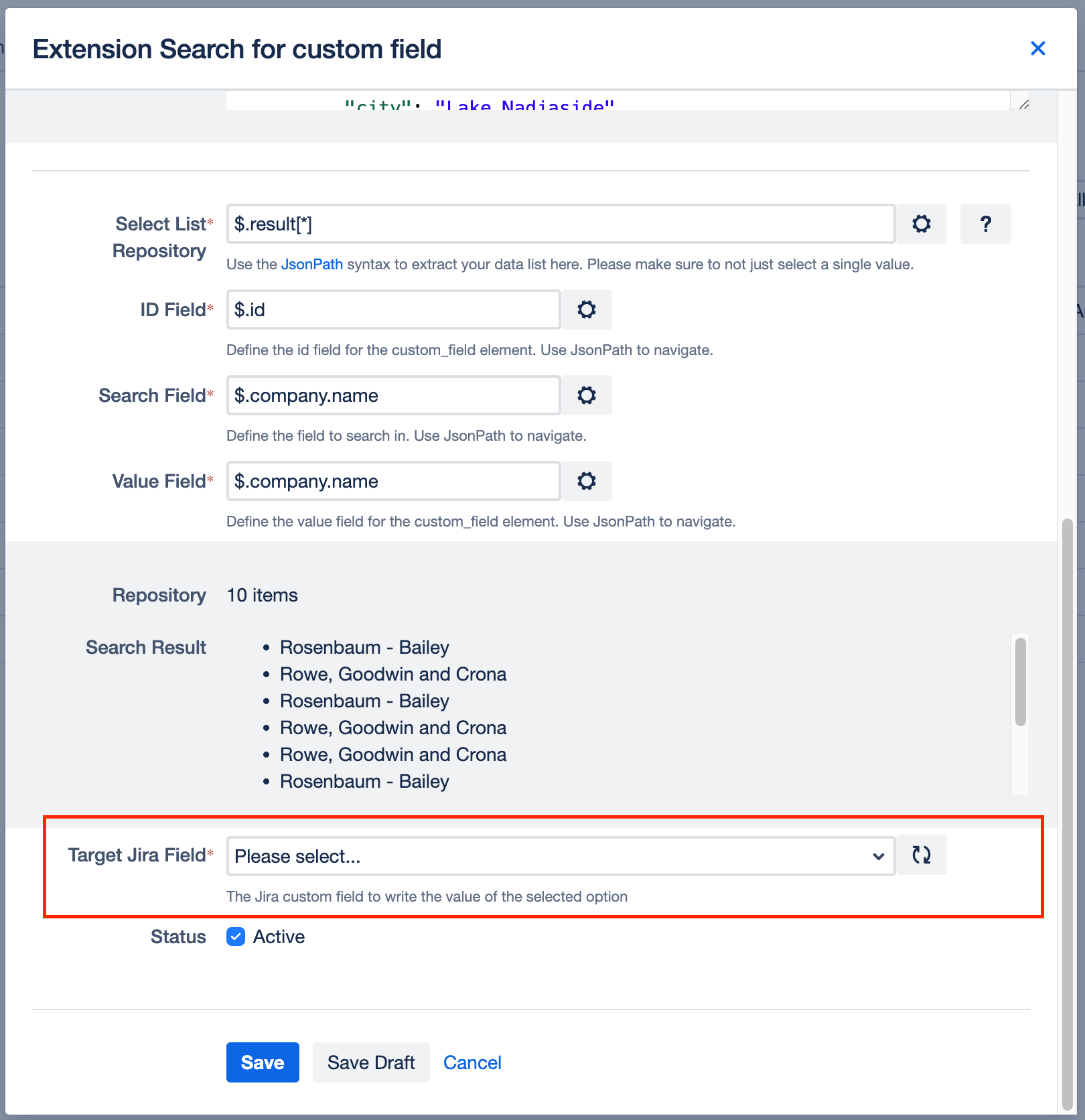
Assign Configuration to custom field
Under Target Jira Field select the custom field that you have created in the first step of this guide.
Context Filter Dependencies
To use custom fields within a context filter on a work item create screen please see the following guide: Context Filter Dependencie