
Configuration Guide
Adding a New Custom Field
-
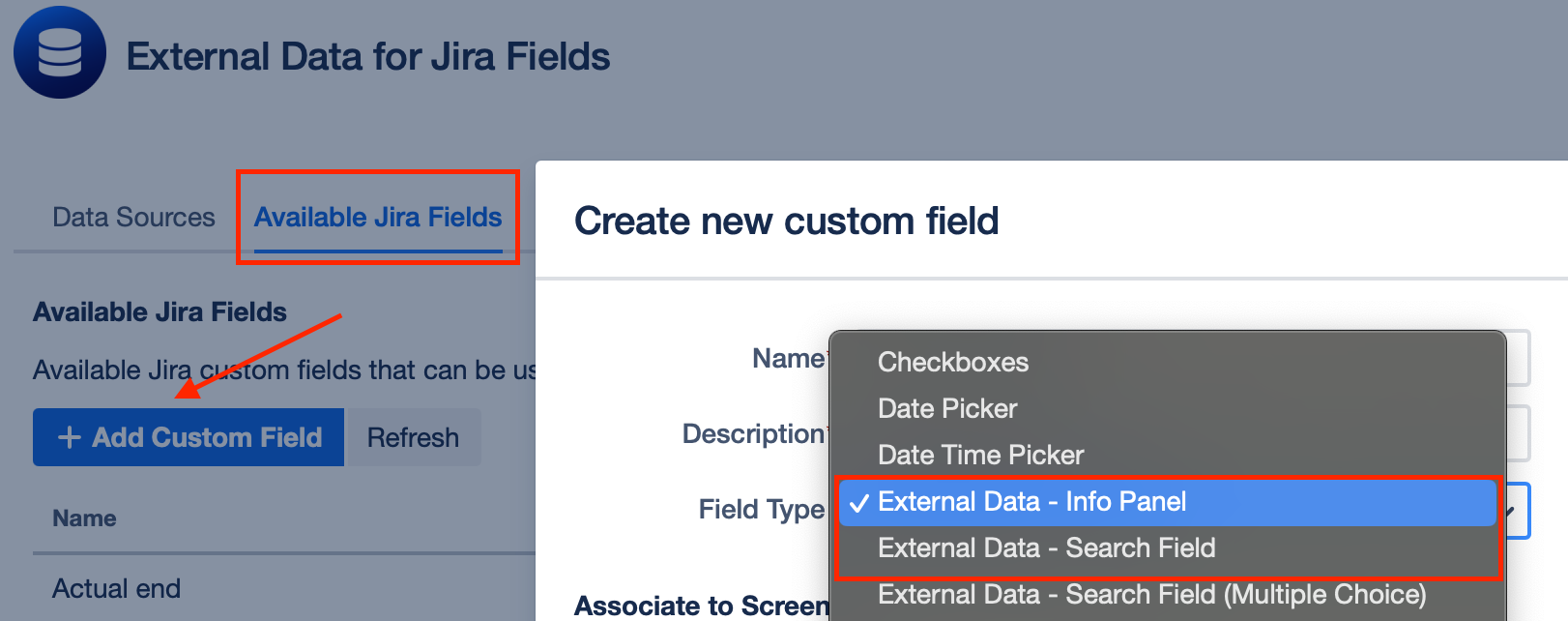
In the Main App, navigate to Manage Jira Fields and click on + Add Custom Field.
-
In the Create new custom field Modal, choose "External Data - Info Panel"
Creating a New Field Configuration
-
Go to Field Configuration > + Add Configuration > Display Infos
-
Select Info Panel (Custom Field)
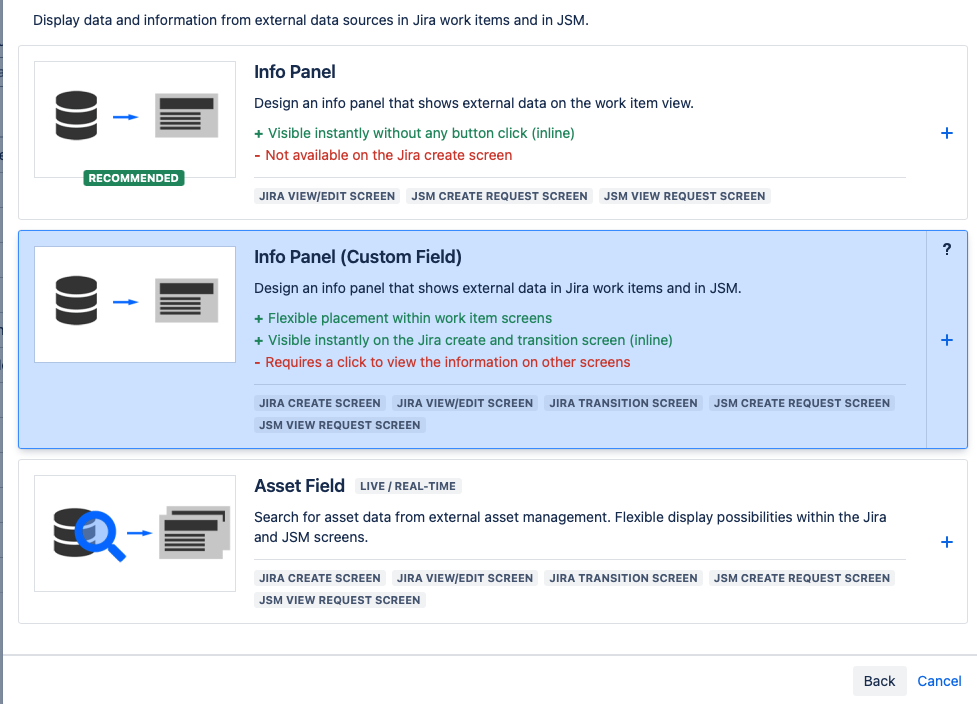
The Info Panel (Custom Field) configuration process closely follows the steps described for the regular Info Panel
Field Differences:
-
An Info Panel (Custom Field) maps to an underlying custom field type in Jira
-
You manage the placement and visibility of an Info Panel (Custom Field) within Jira like any other custom field.
-
Hyperlinks can be used, provided they are absolute URLs. External links will prompt for confirmation before navigating outside the instance.
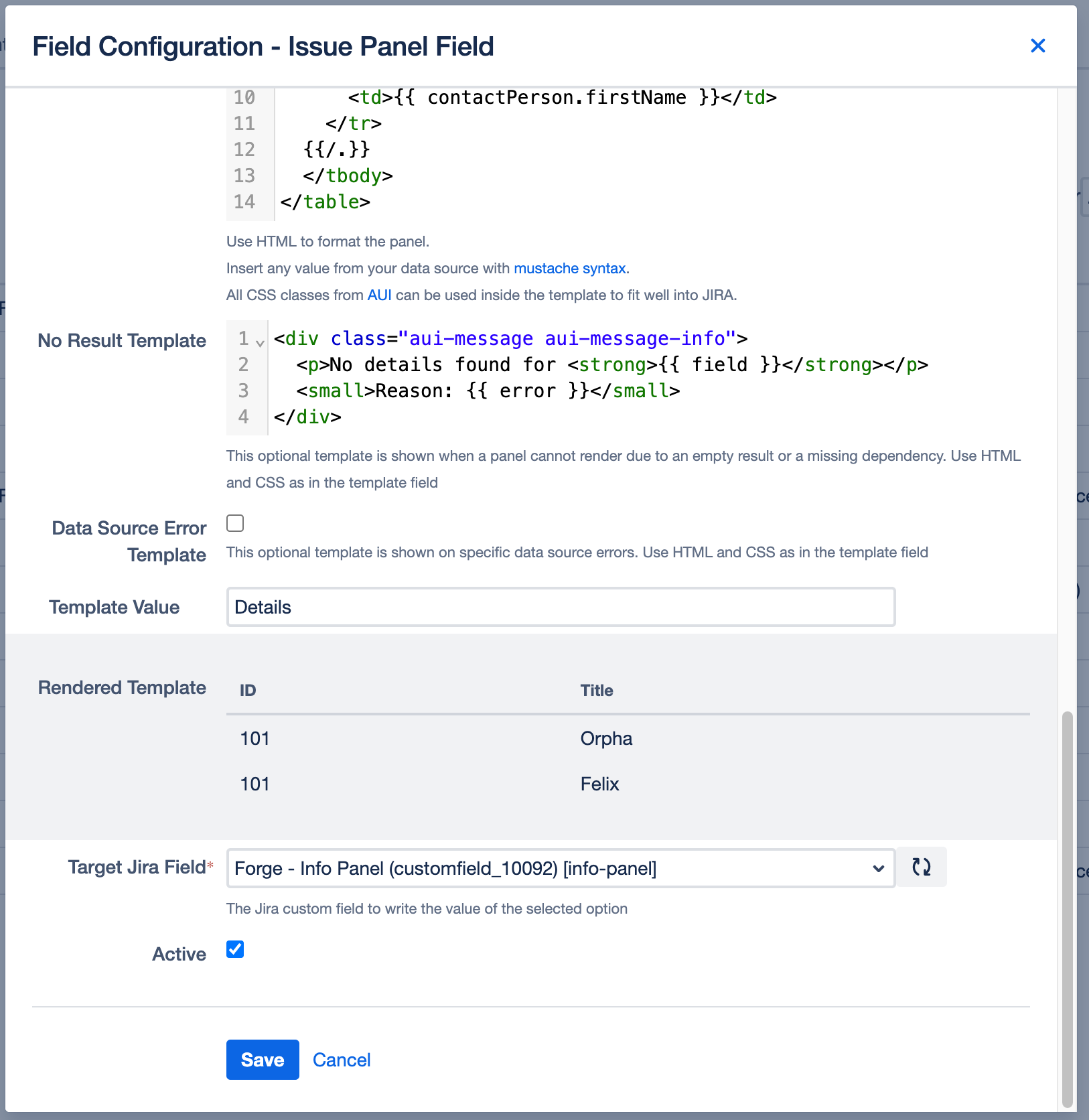
Template Value
Specifies a display value for the inline edit variant of this field on the work item edit screen.


Note: When setting up your template value, note that if the Info Panel is not available on the work item creation screen, the template value will appear as "None" on the work item editing screen. To populate the field after creation, in this case a user needs to open the info panel field manually once.
If you do not plan to use the Info Panel (Custom Field) on the Create Work Item screen, we recommend that you use the default Info Panel instead. This will immediately render the panel in the Work Item Edit screen instead of "None".
Assigning the Configuration to the Custom Field
To assign the configuration to your custom field, select the custom field you created in the first step of this guide under Target Jira Field.
Context Filter Dependencies
To use custom fields within a context filter on a work item create screen please see the following guide: Context Filter Dependencie
Limitations
-
Embedding external image sources is not supported in Extension Info Panels. This will change in the foreseeable future as soon as the Extension app is merged into the main app as part of our migration to Atlassian Forge.