Scenario: From Broken Charging Station to Fast Support
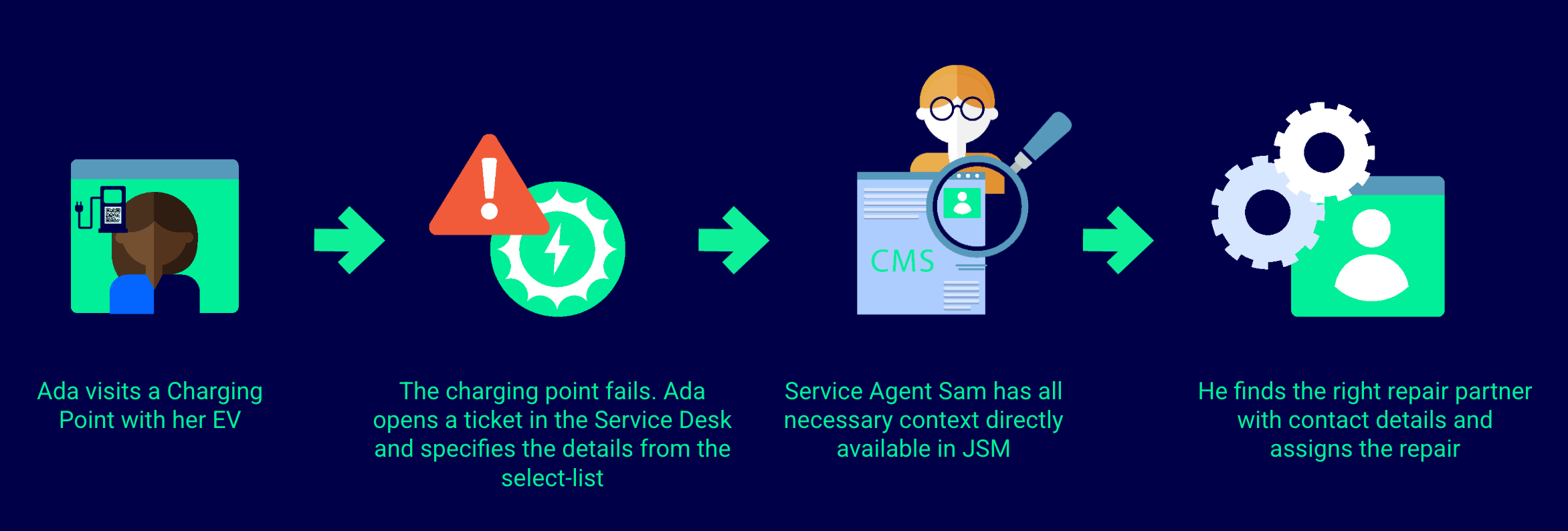
Ada is on a road trip and stops at an electric vehicle charging station to recharge her car. When she plugs in, the charging station doesn’t start. An error code is displayed on the screen.
The company operating the charging stations runs a large nationwide network. Detailed information about each charging station already exists in internal systems, such as asset management tools, CRM platforms, or shared data sources like Google Sheets.
To make support fast and reliable, the company uses External Data for Jira Fields to connect Jira with these existing systems and make charging station data available directly inside Jira work items.
Problem: Limited Information, Manual Work
Standing next to the broken charging station, Ada wants to report the issue as quickly as possible. On her mobile phone, however, she can only provide minimal information.
On the support side, this creates challenges for Sam, the support agent:
-
Customers can only submit limited details when reporting an issue
-
Sam has to manually look up critical information in other tools, such as:
-
The charging station’s exact location
-
The responsible operating or service provider
-
Available and certified repair shops nearby
-
This manual work slows down issue resolution and increases the risk of errors.
Solution: Automated Data Enrichment with External Data for Jira Fields
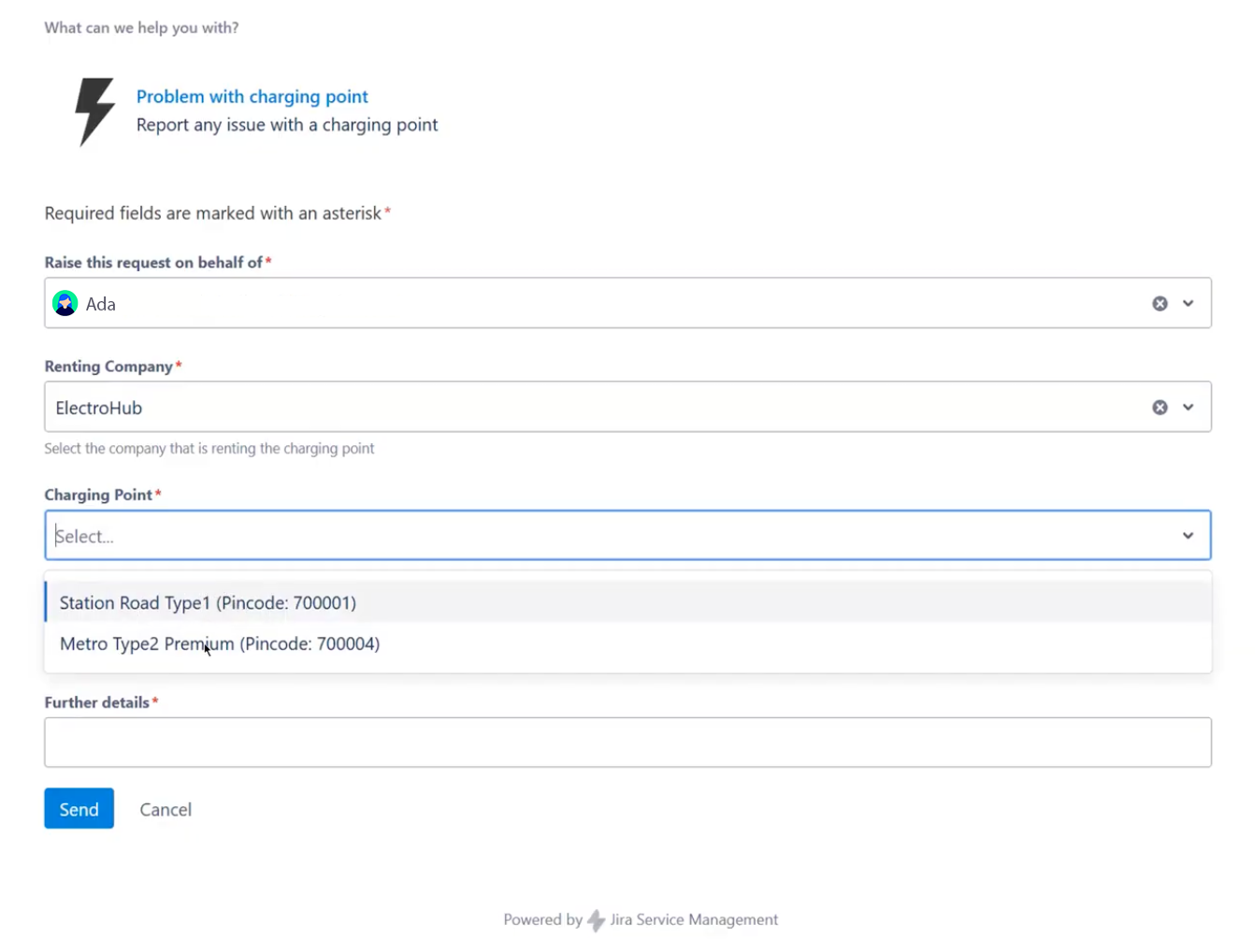
Ticket creation (Ada)
Ada opens a ticket (e.g. by scaning a QR code attached to the charging station.)
-
A Jira Service Management request form opens on her mobile device
-
She only needs to enter:
-
The charging point ID
-
The error code shown on the charging station
-
That’s it — no searching, no long descriptions.
Automatic data enrichment (Sam)
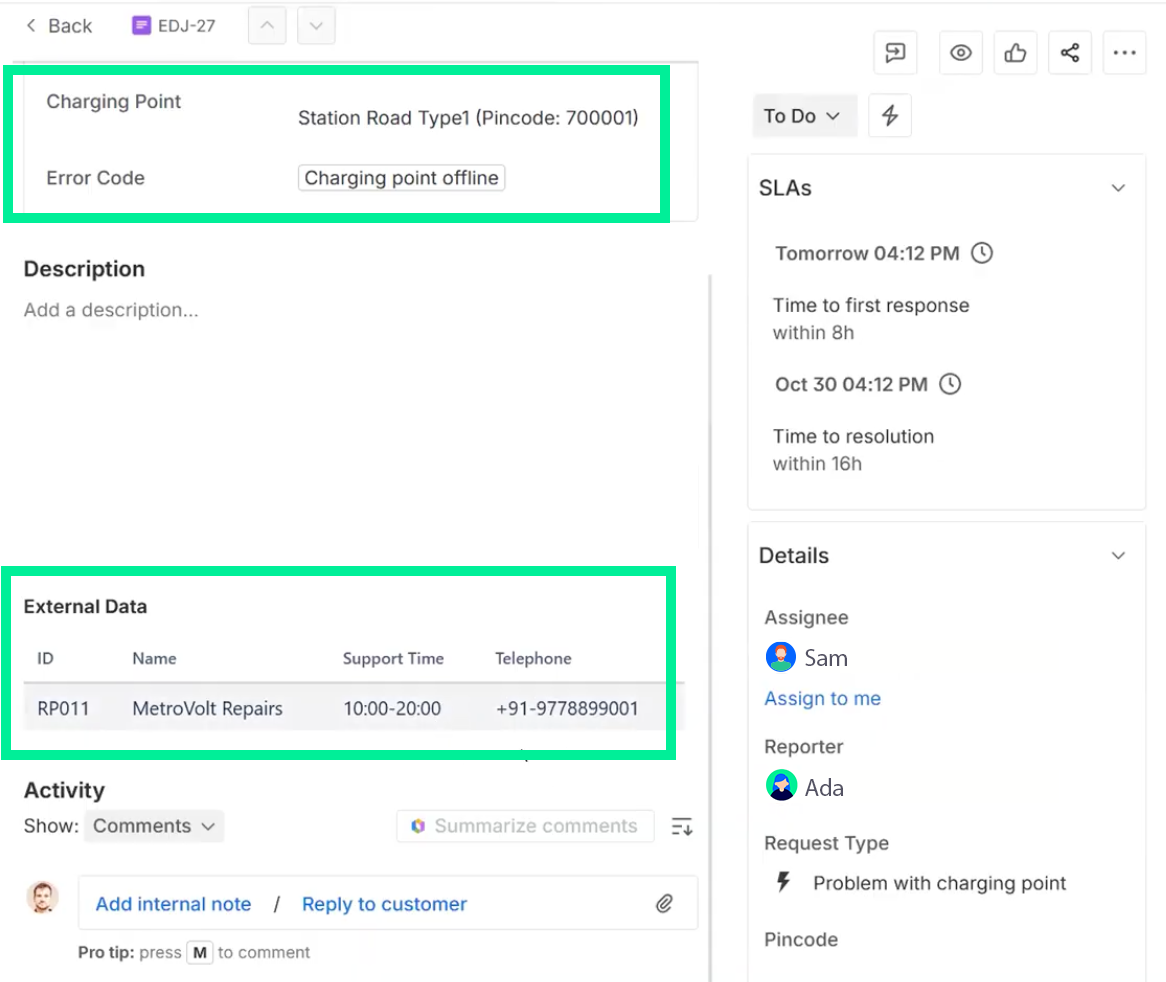
As soon as the ticket is created, External Data for Jira Fields uses the charging point ID to automatically retrieve relevant data from external systems and populate Jira fields, for example from:
-
Charging station databases (address, type, technical details)
-
Asset or operations systems
-
Lists of certified repair shops
-
Operating company data, including service levels or warranty information
All of this information is displayed directly on the Jira work item.
Sam can immediately see what’s wrong, where the station is located, and who needs to take action — without leaving Jira.
External Data Features Used for This Setup
To build this charging station support scenario with External Data for Jira Fields, the following features are used:
-
External Data Source configuration to connect Jira to your external systems.
-
Add Extension Search Fields to the Service Desk to enable Ada to select values from external data sources in a Jira work item.
-
Add an Info Panel to the Agent Ticket view to show the Repair Shop Details in the Agent Ticket.
-
Create a dependency between the “Renting Company” and the “Charging Point” field using Jira Work Item Value Variables.
Result: Faster Support, Better Experience
-
Sam sees accurate, up-to-date charging station information instantly
-
No manual searching across multiple tools
-
No need to give every agent access to external systems
-
Faster assignment to the right service provider
-
Quicker repair orders and reduced downtime
-
Consistent data across Jira and connected systems
Ada gets back on the road sooner — and the support team stays efficient and focused.